
Data Platforms
Maple connects to your analytics stack to keep your BI and operations in sync. You can export analytics‑ready datasets to your data warehouse (for example, Snowflake, BigQuery) to power reporting, dashboards, and revenue analysis.
Capabilities
Stable identifiers and relational models across the revenue lifecycle
Automated incremental syncs with schema evolution
Analytics‑ready tables designed for joins and time‑series analysis
Data Coverage
Maple exports a comprehensive set of datasets so you can model end‑to‑end revenue:
Customers
Products and prices
Subscriptions
Contracts
Credits and discounts
Usage events and metering (upon request)
Invoices and invoice line items
Payments, refunds, failures, and retries
Each dataset is modeled with stable primary keys and foreign‑key relationships so you can confidently join across objects and time.
Snowflake Setup
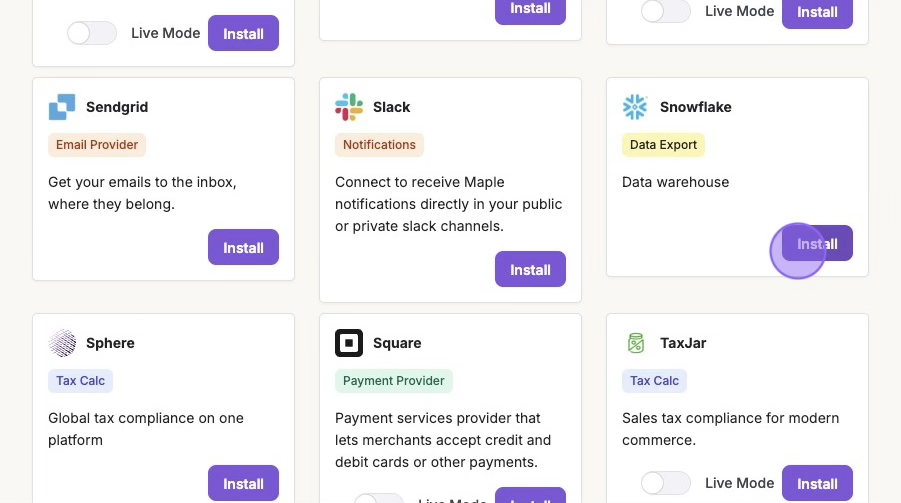
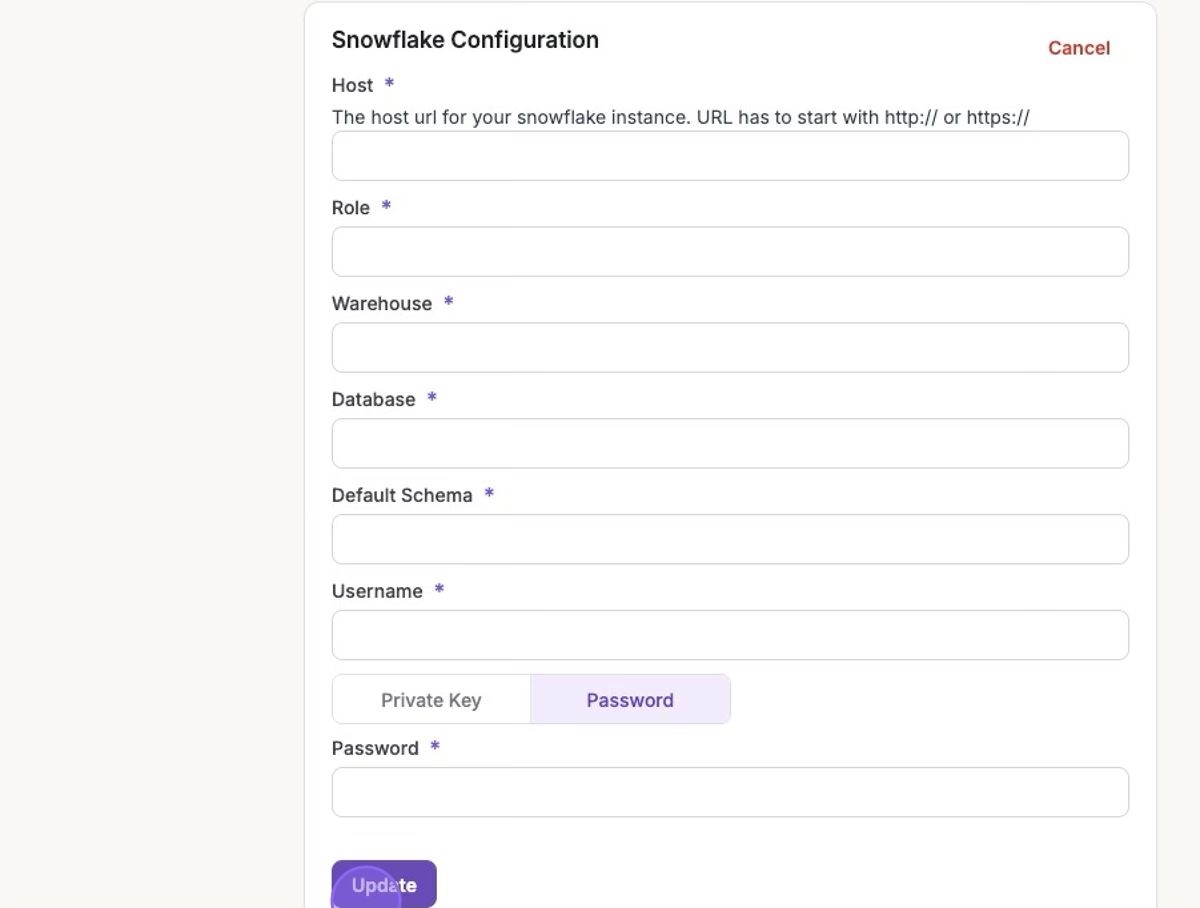
Find Snowflake in the Integrations page and click Install. and provide credentials.
Select the datasets you want exported.
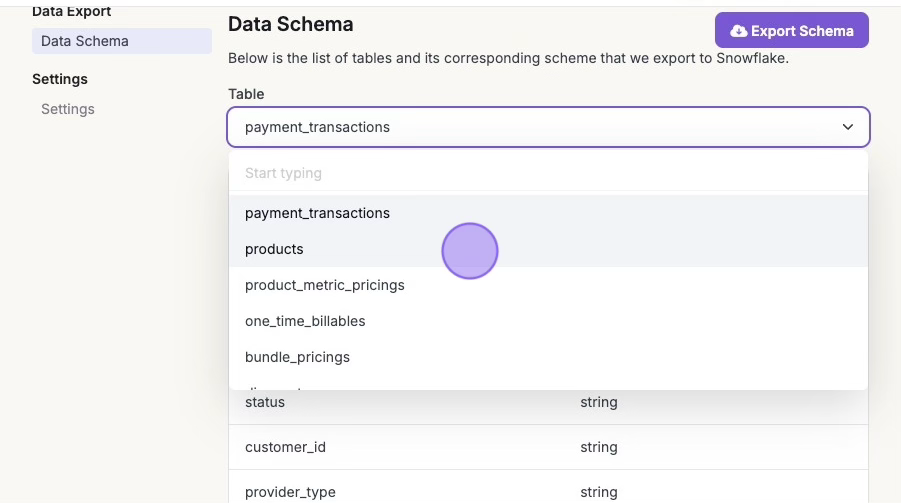
Maple will initialize your schema and run the first full sync automatically.
Google BigQuery Setup
Please reach out to support@maplebilling.com if you would like to connect this paid feature.
Data Freshness
Daily by default