
How To: Create a Custom Billing Schedule
Edited
Billing schedules allow you to easily structure contracts with non-regular billing intervals. This is useful when you need to set up non-regular payments over an extended period for a customer, ensuring they’re billed according to specific timelines.
For example, a customer may commit to a one-year contract, paying various amounts at specific intervals rather than a consistent monthly rate.
Pays $1000 upfront
Pays $800 in month four
Pays $600 in month seven
Pays $400 in month ten
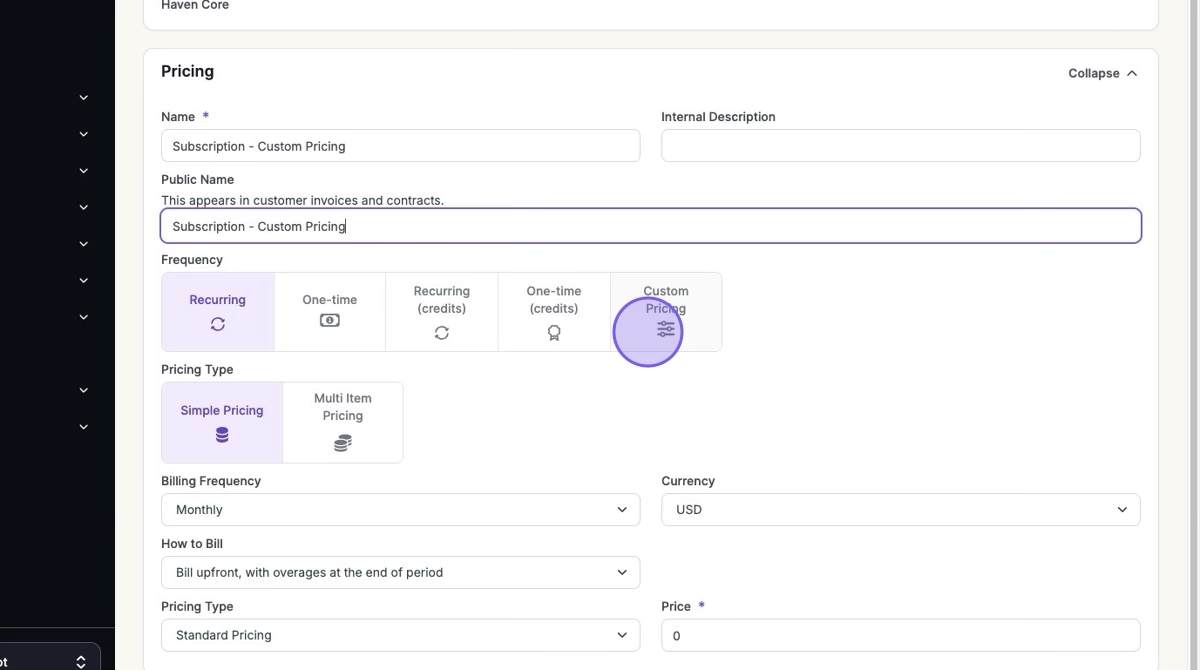
1. Click Products > Overview > Select Product > "+ Add New Product Pricing" > Click "Custom Pricing"
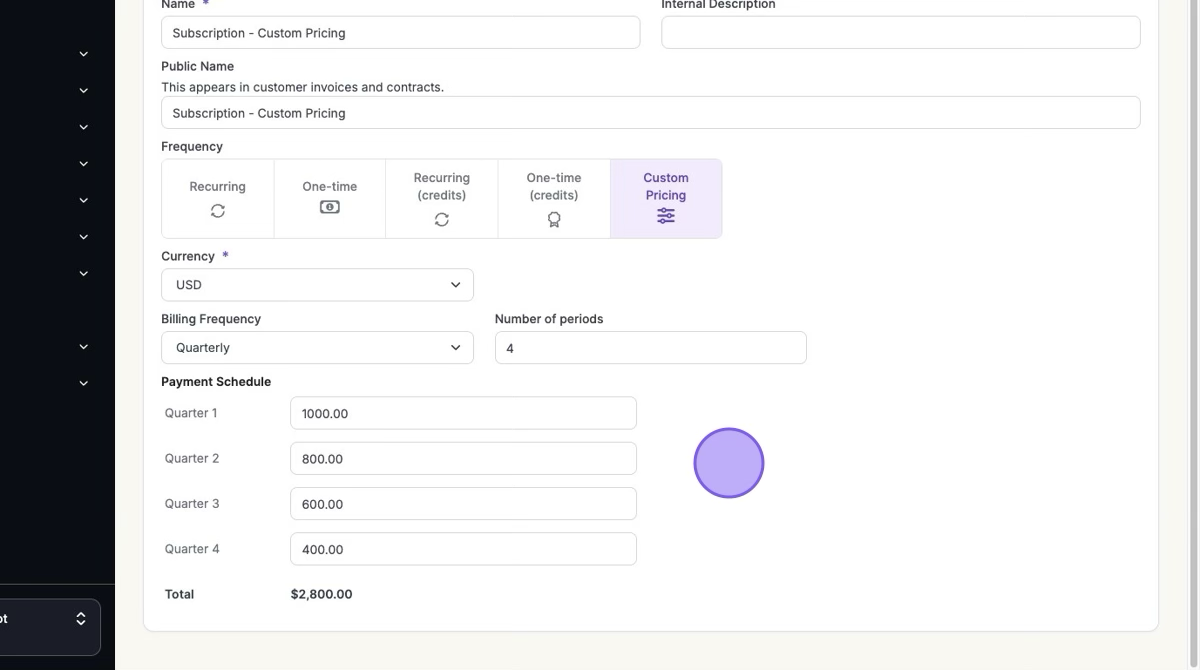
2. Fill in your Custom Pricing Information
Currency
Billing Frequency
Number of periods
Payment Schedule
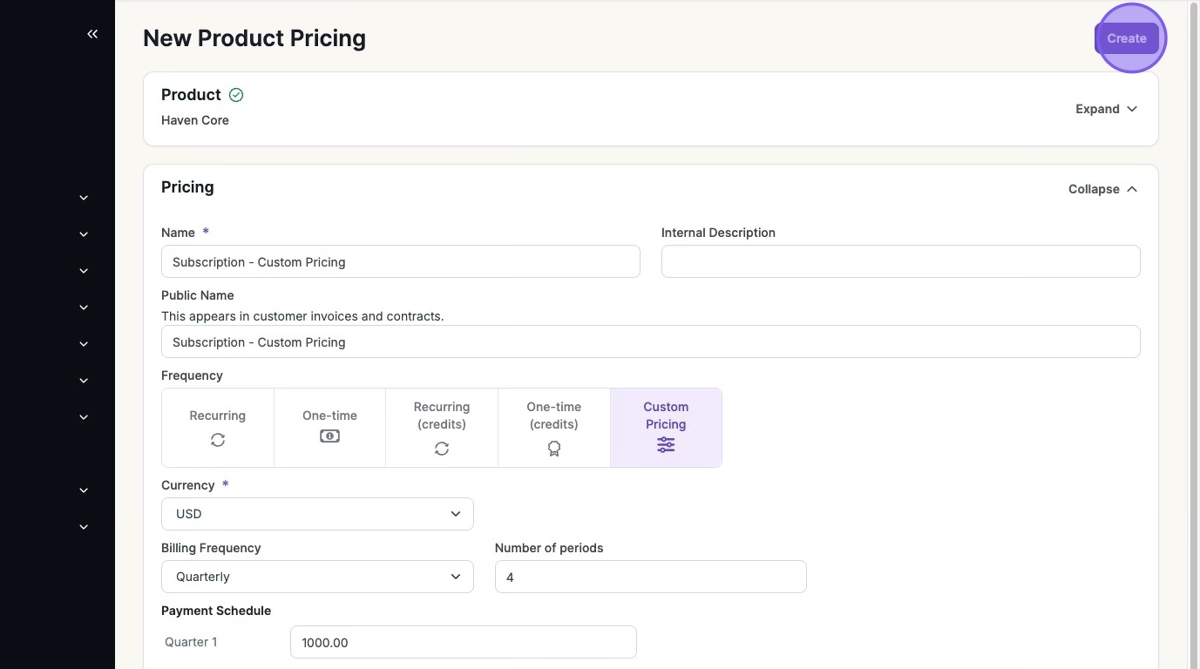
3. Click "Create"
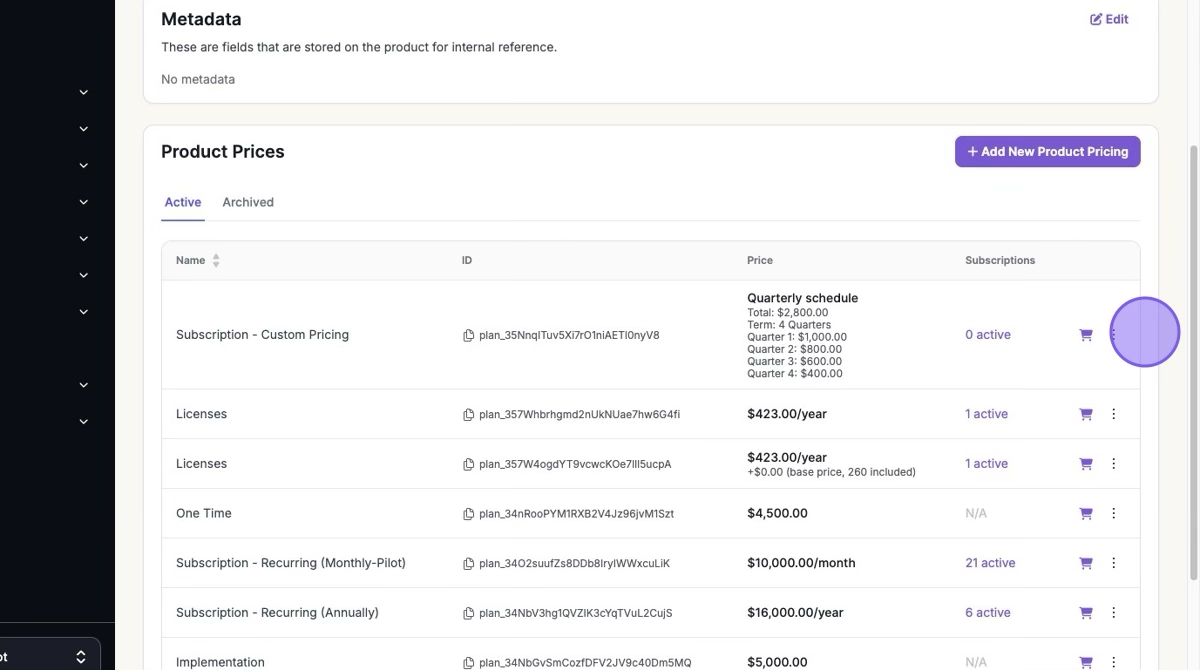
Your custom pricing will be presented to include in a contract or subscription.
Was this article helpful?
Sorry about that! Care to tell us more?