
How To: Create Pricing Phases
Edited
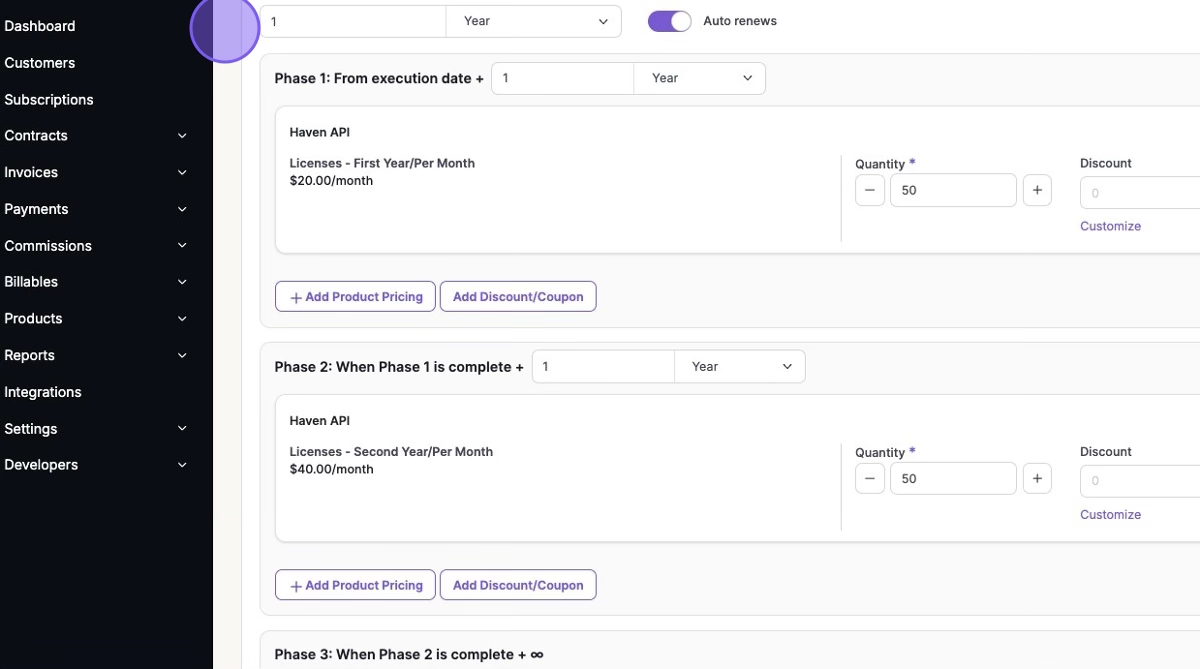
Pricing phases allow you to create contracts and subscriptions with pricing that changes at predefined intervals. This ensures that each phase has a consistent duration, making it ideal for multi-year contracts with phased pricing adjustments.
In our example, we will be creating a three-year contract where the price per license changes each year:
Year 1: $20 per license per month
Year 2: $40 per license per month
Year 3: $60 per license per month
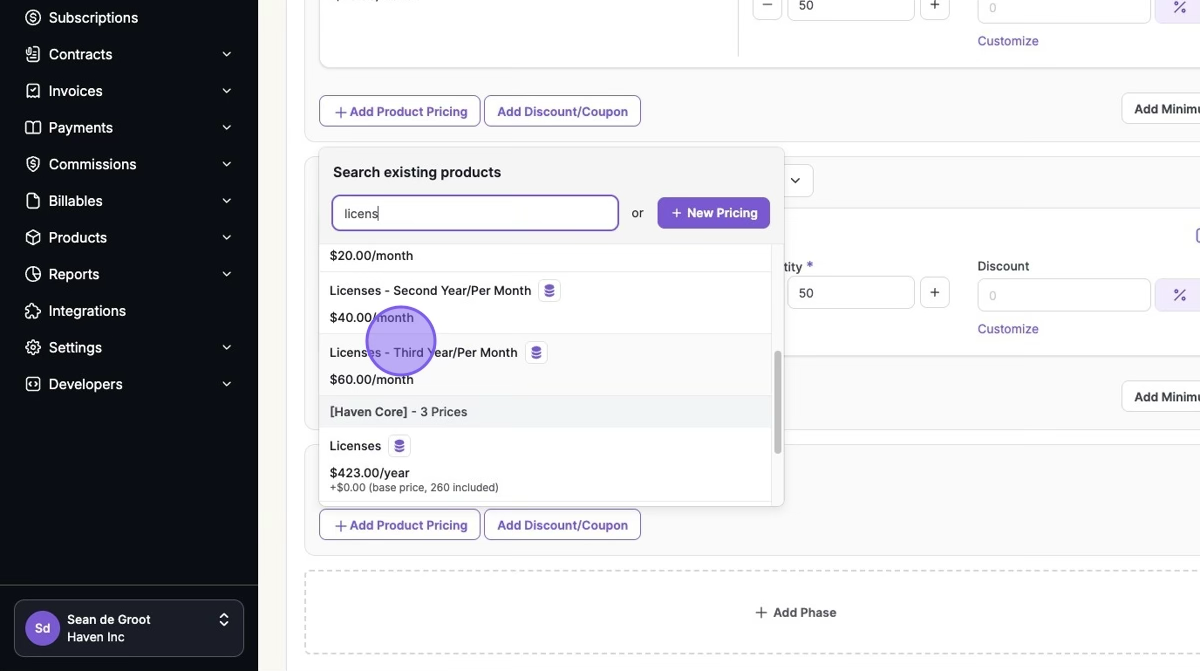
1. On Contract Creation or Subscription Creation > Click "Add Product Pricing"
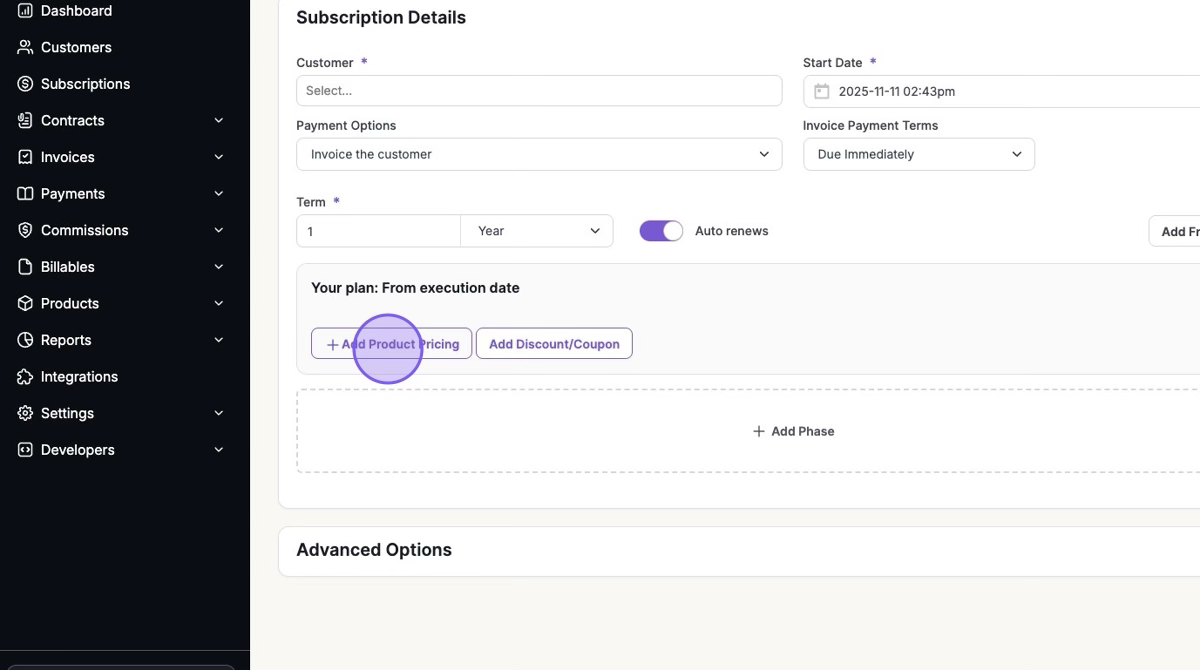
2. Select your First Year's Pricing > Click "Add Phase"
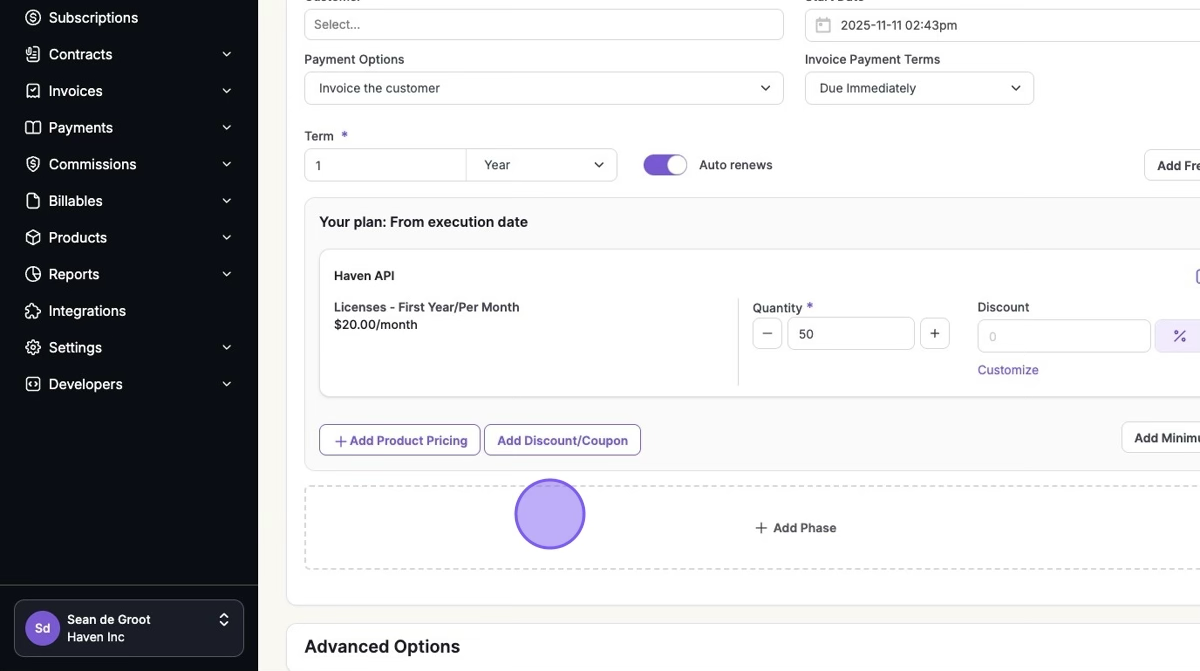
3. Click "Add Product Pricing"

4. Select your Second Year's Pricing > Click "Add Phase"
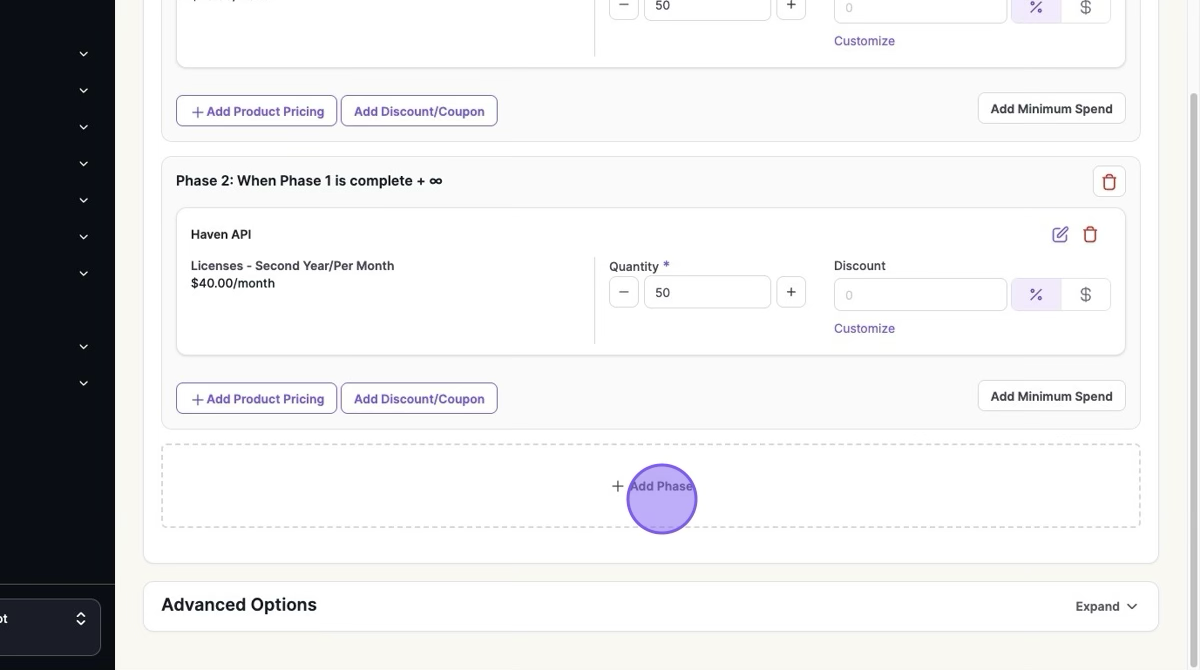
5. Click "Add Product Pricing"
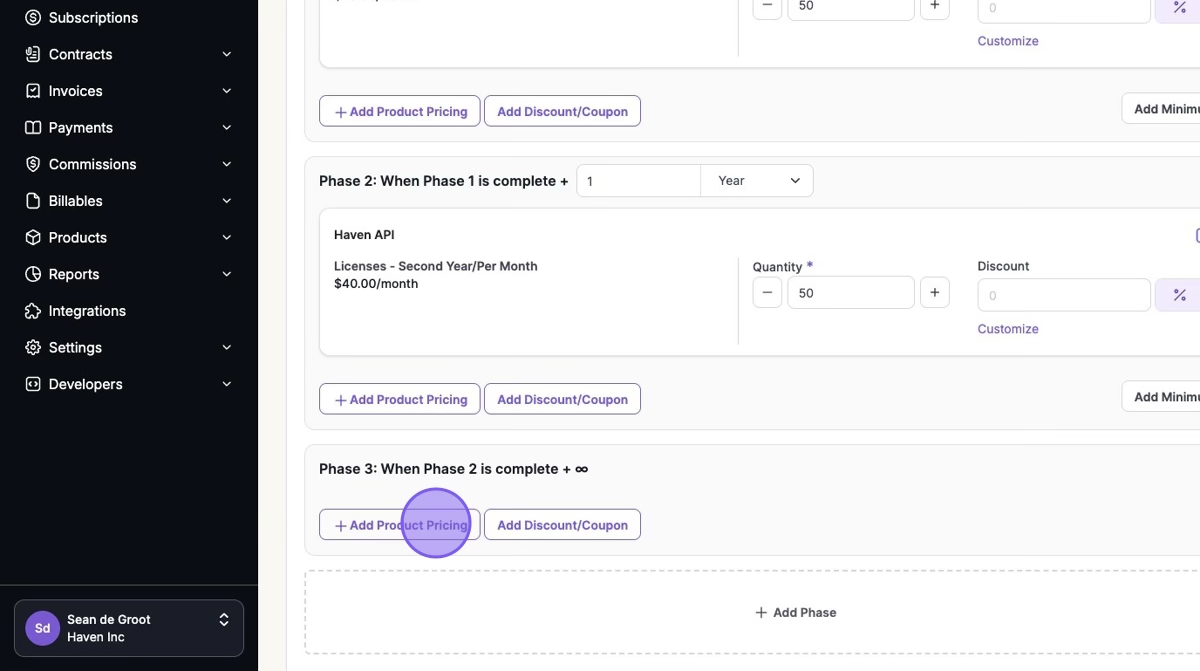
6. Select your Third Year's Pricing > Click "Add Phase"
The term will represent the final phase of a year, with every other phase being a year
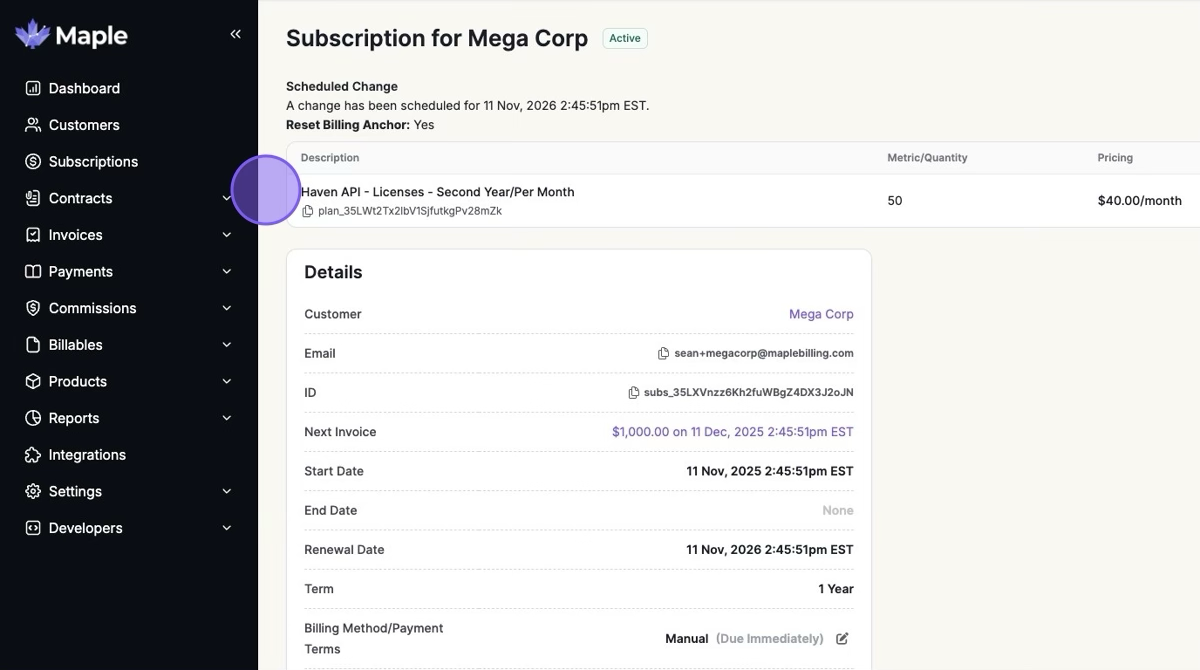
When the Subscription is active, you can preview the second upcoming phase.
Was this article helpful?
Sorry about that! Care to tell us more?