
Financial Reporting and Logs
Since Maple serves as the source of truth for pricing, subscriptions, one-time charges and invoicing, along with payment status, Maple can provide detailed reporting that allows finance teams to have a comprehensive overview of financial performance and position.
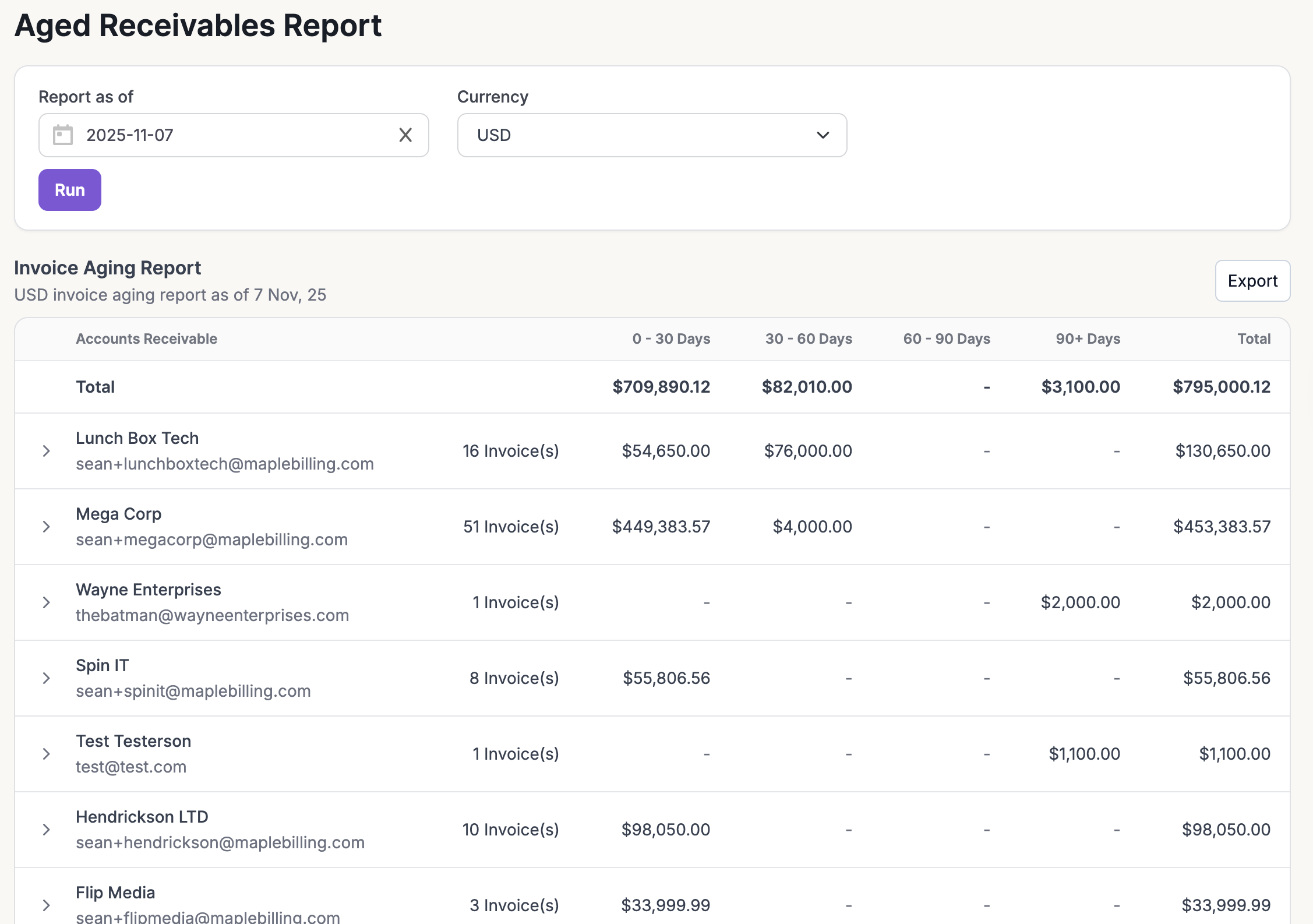
Aged Receivables Report
This report provides visibility into unpaid invoices, categorizing them based on the length of time they have been outstanding. Generate reports as of X date and in your desired currency.
Invoiced Revenue By Customer
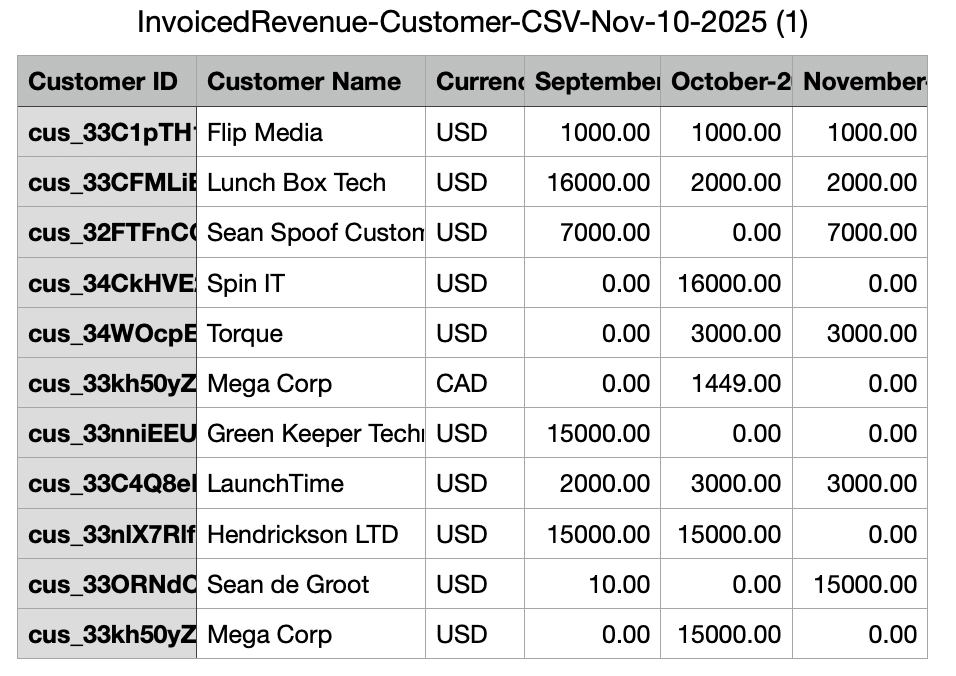
Receive a breakdown of invoiced revenue per customer. This is guaranteed revenue and captures all invoice amounts, both recurring and one-time, across different time periods and currencies. It helps you see where real cash is being generated, how customer billing patterns change, and how total revenue compares beyond just subscriptions.
Example: Invoiced revenue from the past three months:
Time Period: Sept 1, 2025 - Nov 1, 2025
Interval: Month
MRR Per Customer
Understand the steady heartbeat of your business by tracking Monthly Recurring Revenue (MRR) per customer. This report highlights how much predictable, subscription-based revenue each customer contributes over time, giving you a clear view of growth trends and retention. Whether you are comparing month-over-month or year-over-year performance, it is the go-to metric for understanding the consistency and health of your recurring revenue stream.
Example: MRR Per customer from the past year:
Time Period: Year
Interval: Month

Revenue Recognition
Revenue recognition is a fundamental concept in financial accounting that helps ensure the accurate and consistent reporting of financial performance. The timing and method of revenue recognition are crucial because they directly impact reported profitability, financial position, and cash flow.
Please reach out to us to learn more about revenue recognition capabilities.
MRR Logs
Monthly Recurring Revenue logs provide detailed insights into product upgrades and downgrades. They track every subscription change, showing the reason, amount, and overall impact on your recurring revenue.
Credit Logs
Credit logs provide a detailed record of credits that have been issued, consumed, or revoked, showing when each action occurred and the corresponding invoice.